Markdown based Code Block Syntax Highlighting
#static-site-generators#nextjs#javascript#typescript#markdown#react#code-syntax-highlighting#marked-react#react-code-blocks#marked
Background
Superflux.dev (this site) uses markdown files for articles. I've been using Marked (GitHub, NPM) to parse my markdown articles to html.
With my current setup, code just gets rendered to <code> blocks. I have applied some simple styling to them, a background colour and a monospace font, so they stand out as code. But they're pretty basic looking and boring.
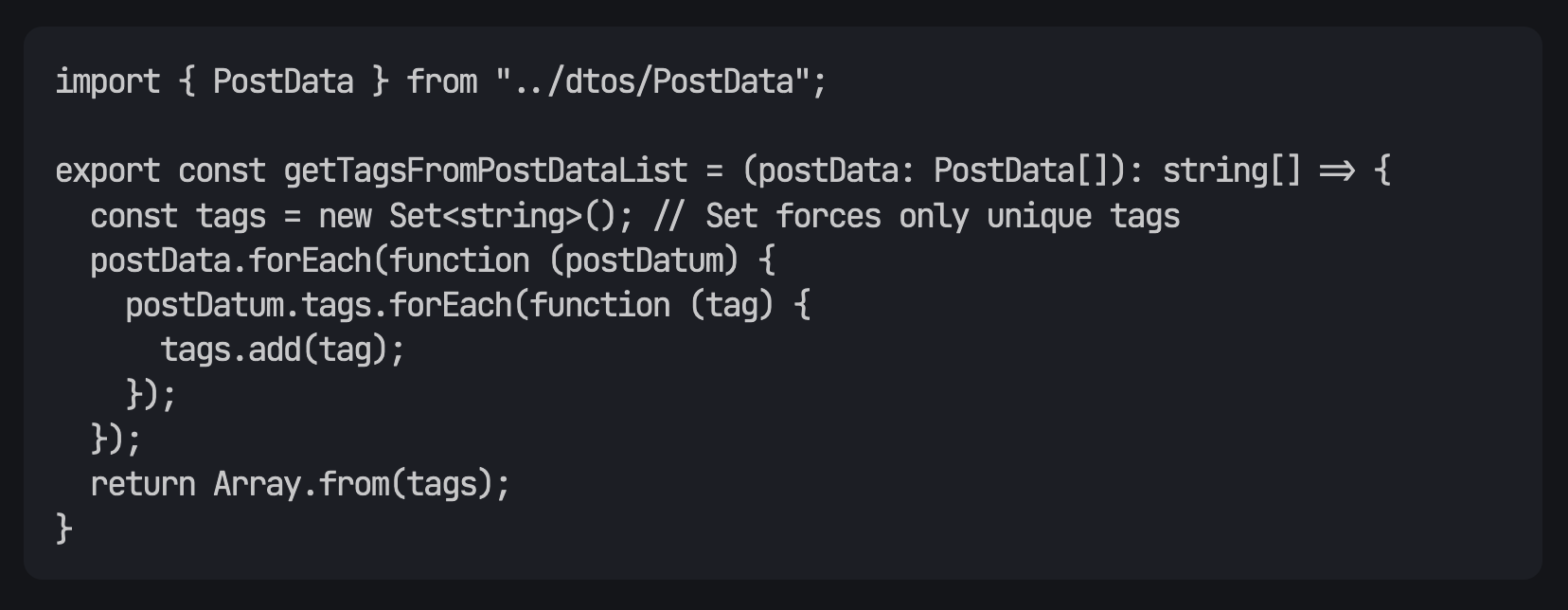
What I'd like to have is rich code syntax highlighting. I find my own code blocks hard to read because they're just plain text; highlighting would be a big readability improvement.
What I'm currently doing
With Marked you can override the renderers for each element.
Mostly I just let Marked parse my markdown into semantic html. I am overriding a few elements: <h#> tags and <img> to apply some styling.
The Marked docs for the renderer are here.
utils/markedUtils.ts
export const renderer = {
    image(href: string, title: string, text: string) {
        const nonRelativeHref = "/images/posts/" + href;
        return `
            <img src="${nonRelativeHref}" alt="${title}" class="article-image" />
        `;
    },
    heading(text: string, level: number, raw: string) {
        switch(level) {
            case 2:
                return `
                    <h2 id="${raw}">
                        <span class="underline">${text}</span>
                    </h2>
                `;
            default:
                return `
                    <h${level} id="${raw}">${text}</h${level}>
                `;
        }
    }
}
Then in my pages/blog/[slug].tsx, I import this renderer config and configure Marked with it.
import { marked } from "marked";
import { renderer } from "../../utils/markedUtils";

marked.use({ renderer });
Then in the page component for [slug].tsx I use dangerouslySetInnerHTML and marked.parse to insert the rendered html of the markdown in the DOM.
<div dangerouslySetInnerHTML={{ __html: marked.parse(post.content) }}></div>This worked well enough for a time. But an issue I was running into with this solution is that the renderer element overrides are just expecting strings, which means just html elements. I can't override them with rich React components because they wouldn't get converted to html.
Now there's probably a way to get syntax highlighting in <code> blocks using plain old Marked with html. But since I'm using React and Next I thought it would be nice to pull in a nice React code syntax highlighter.
Marked with React components
First I needed a way to override elements in the markdown renderer with React components.
Luckily there's a package just for that! marked-react (GitHub, NPM). This actually uses Marked to parse markdown, but you can provide React components as overrides and you can simply use it in React instead of using dangerouslySetInnerHTML.
First I refactored my markdown rendering to use marked-react.
npm i marked-reactAfter installing, in my pages/blog/[slug].tsx I import it and use it in place of the <div> that I was setting the html in.
import Markdown from "marked-react";

//...

  <Markdown>{post.content}</Markdown>

//...
Next I ported over my existing customizations I was using for headers and images from Marked. It's very similar to the previous configuration. The types are different and I can return TSX/JSX. I changed markedUtils.ts -> markedUtils.tsx to support TSX.
utils/markedUtils.tsx
export const renderer = {
    image(src: string, alt: string) {
        const nonRelativeHref = "/images/posts/" + src
        return <img src={nonRelativeHref} alt={alt} className="article-image" />
    },
    heading(children: ReactNode, level: number) {
        switch(level) {
            case 1:
                return <h1 id={children.toString()}>{children}</h1>
            case 2:
                return(
                    <h2 id={children.toString()}>
                        <span className="underline">{children}</span>
                    </h2>
                )
            case 3:
                return <h3 id={children.toString()}>{children}</h3>
            default:
                return <h4 id={children.toString()}>{children}</h4>
        }
    }
};
I had to tweak the heading logic a bit since I couldn't template in the heading level.
I import and pass this renderer to the <Markdown> component.
<Markdown renderer={renderer}>{post.content}</Markdown>With this config I was back to where I was before, but now I have the capability to use React components and TSX/JSX to override elements in the markdown renderer.
Overriding the code element renderer
The documentation for marked-react is lacking, but looking at the Typescript for the <Markdown> component's renderer prop reveals the syntax. You can override the code renderer which is the block level <code> element, and the codespan renderer which is the inline <code> element.
First I needed to find a react component to render code blocks with syntax highlighting. A quick search landed me on react-code-blocks. It seemed popular enough for my needs. And seemed to have the features I wanted. It lets you pass the language for appropriate syntax highlighting, and it has a nice selection of default themes available.
I import the CodeBlock component into my utils/markedUtils.tsx, along with the dracula theme.
import { CodeBlock, dracula } from "react-code-blocks";Then in the renderer object, in my utils/markedUtils.tsx, I can override the code renderer with this new component
export const renderer = {
    code(code: ReactNode, lang: string) {
        return <CodeBlock
            text={code.toString()}
            language={lang}
            showLineNumbers={false}
            theme={dracula}
        />
    },
    // ...
}
I'll override the inline codespan renderer as well. I'll just apply a class name here as I don't need syntax highlighting for inline code.
export const renderer = {
    code(code: ReactNode, lang: string) {
        return <CodeBlock
            text={code.toString()}
            language={lang}
            showLineNumbers={false}
            theme={dracula}
        />
    },
    codespan(code: ReactNode) {
        return <code className={"inline-code"}>{code}</code>
    }
    // ...
}
So my utils/markedUtils.tsx looks like this overall:
import { ReactNode } from "react";
import { CodeBlock, dracula } from "react-code-blocks";

export const renderer = {
    code(code: ReactNode, lang: string) {
        return <CodeBlock
            text={code.toString()}
            language={lang}
            showLineNumbers={false}
            theme={dracula}
        />
    },
    codespan(code: ReactNode) {
        return <code className={"inline-code"}>{code}</code>
    },
    image(src: string, alt: string) {
        const nonRelativeHref = "/images/posts/" + src
        return <img src={nonRelativeHref} alt={alt} className="article-image" />
    },
    heading(children: ReactNode, level: number) {
        switch(level) {
            case 1:
                return <h1 id={children.toString()}>{children}</h1>
            case 2:
                return(
                    <h2 id={children.toString()}>
                        <span className="underline">{children}</span>
                    </h2>
                )
            case 3:
                return <h3 id={children.toString()}>{children}</h3>
            default:
                return <h4 id={children.toString()}>{children}</h4>
        }
    }
};
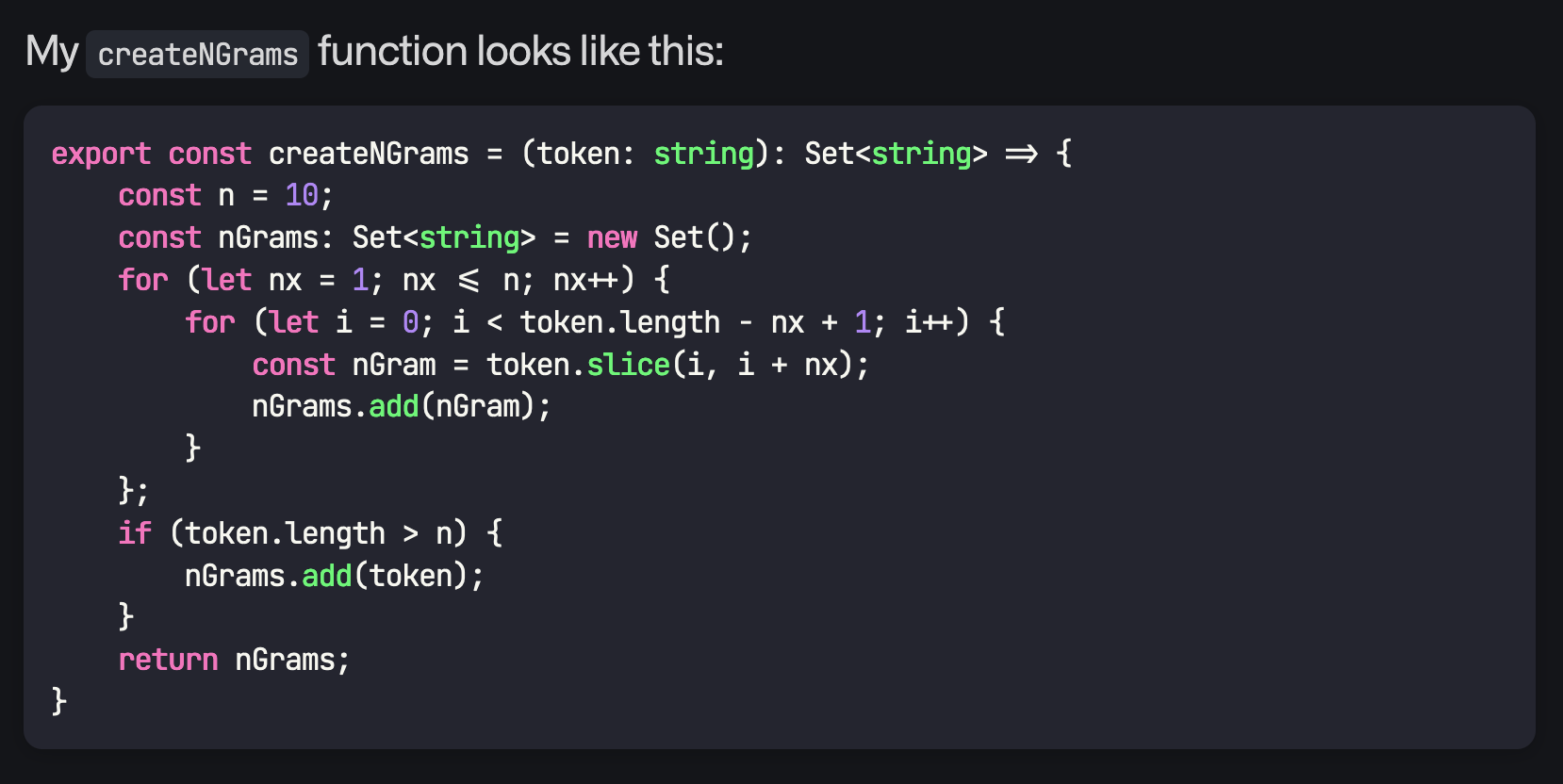
This worked pretty well out of the box! I just overrode a few styles to get it matching my overall aesthetic for the site.
code {
    font-size: 1rem !important;
    font-family: $font-code !important;
    line-height: 1.4rem !important;
    padding: 14px !important;
}

// select the container span that react-code-blocks applies
span:has(code) {
    border-radius: 10px !important;
    box-shadow: 0 2px 10px rgba(black, 0.2);
}

.inline-code {
    background: lighten($color-main-bg, 10%);
    border-radius: 5px;
    padding: 2px 6px !important;
}
You can see the code blocks in action in this article! I added a screenshot in case I change the setup later.
Conclusion
Well that's it! I upgraded my markdown renderer to marked-react to support JSX/TSX and React components. And I was then able to import and use react-code-blocks to render nice code blocks.
I'll probably experiment more with the available themes to see if something else fits my website's aesthetics better, but I'm pretty happy with how it looks. I find the code blocks to be far more readable now.
Thanks for reading 🙏🏻